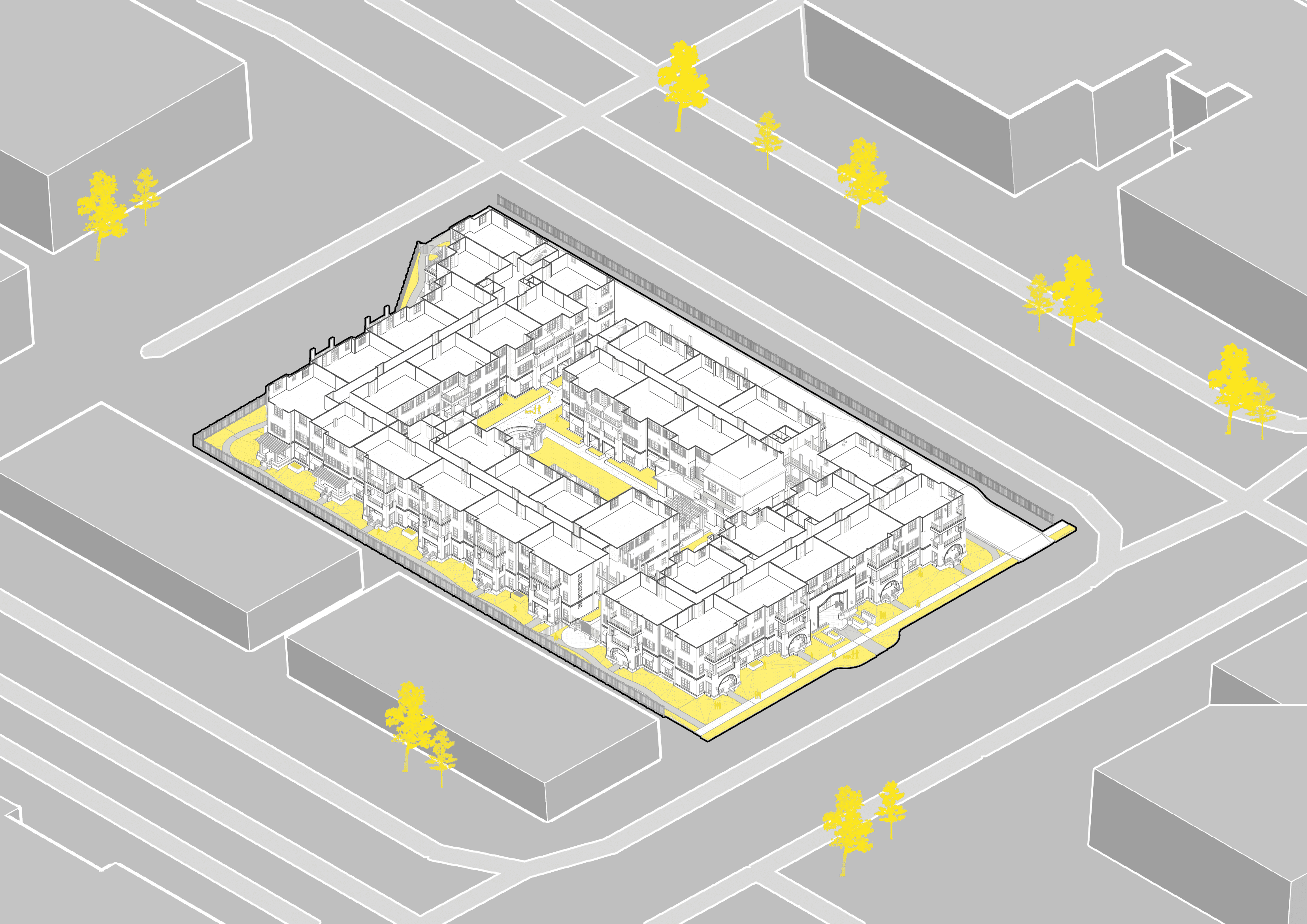
Your Drawings Are Talking Behind Your Back
READING TIME
10:34
MIN
Architecture
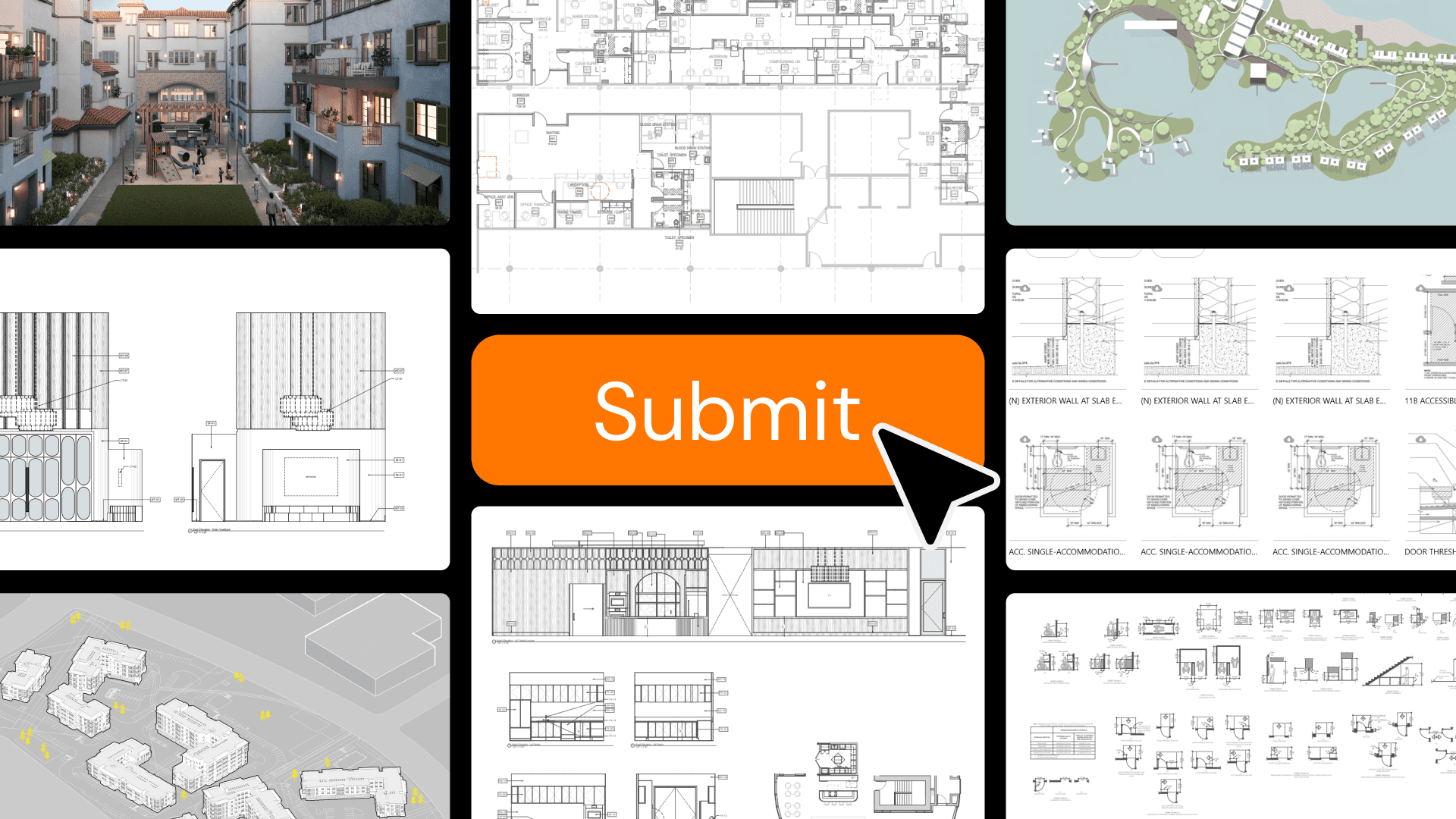
The new generation of QA/QC in architecture — and why the checklist might become a prompt.
There's a moment every architect knows. It's 6 PM on delivery day. The set is "done." Someone scrolls through the PDF one last time, squinting at thumbnails, hoping nothing jumps out.
But wait…a detail callout points to a sheet that doesn't exist. A keynote tag is showing a question mark instead of a description. A room name says "TOILET" on the plan, and "RESTROOM" on the schedule. None of these will crash the building. All of them will generate an RFI, a plan review comment, or — worse — a quiet loss of trust from a client who notices before you do.
This is the QA/QC problem in architecture. It's not dramatic. It's not structural failure or code violations (though those happen too). It's the slow erosion of document quality that comes from producing thousands of sheets under deadline pressure, with teams spread across time zones and tools, checking their own work with tired eyes.
The good news: a new generation of tools is emerging that can catch what tired eyes miss. The complicated news: most of them are still finding their footing, and the ones that actually work require a different way of thinking about quality.
Why your brain can't do this alone
Atul Gawande put it simply in The Checklist Manifesto: the volume and complexity of what we know has exceeded our individual ability to deliver its benefits correctly, safely, or reliably. He was talking about surgery, but the parallel to construction documents is almost too clean. A mid-size architectural project can generate 200+ sheets. And BIM has made this worse in a way that nobody talks about enough: because it is so easy to generate another sheet from the model, projects now routinely produce more documents than they used to. Plans that once lived on a single sheet get split across three. Enlarged plans, unit types, ceiling plans, finish plans — each with its own coordination burden. The tool that was supposed to make documentation easier also made it bigger. Each sheet still contains dozens of annotations, references, dimensions, and notes that need to be internally consistent — and consistent with every other sheet in the set. Multiply by consultant disciplines, revision cycles, and client-specific standards, and you have a coordination challenge that no single person, no matter how experienced, can hold in their head.
The traditional response has been the checklist. And checklists work. Gawande himself proved it: surgical checklists reduced complications by 36% in pilot hospitals. In architecture, a well-structured QC checklist — run at the right moment by someone who didn't produce the drawings — catches the errors that would otherwise become plan review comments, change orders, or field conflicts.
But here's the tension: checklists only work when people actually use them. And in production architecture, the checklist competes with the deadline. Always.
Two layers, one standard
Before getting into specifics, it helps to name what we're actually talking about. Quality control and quality assurance sound interchangeable, but they do different work.
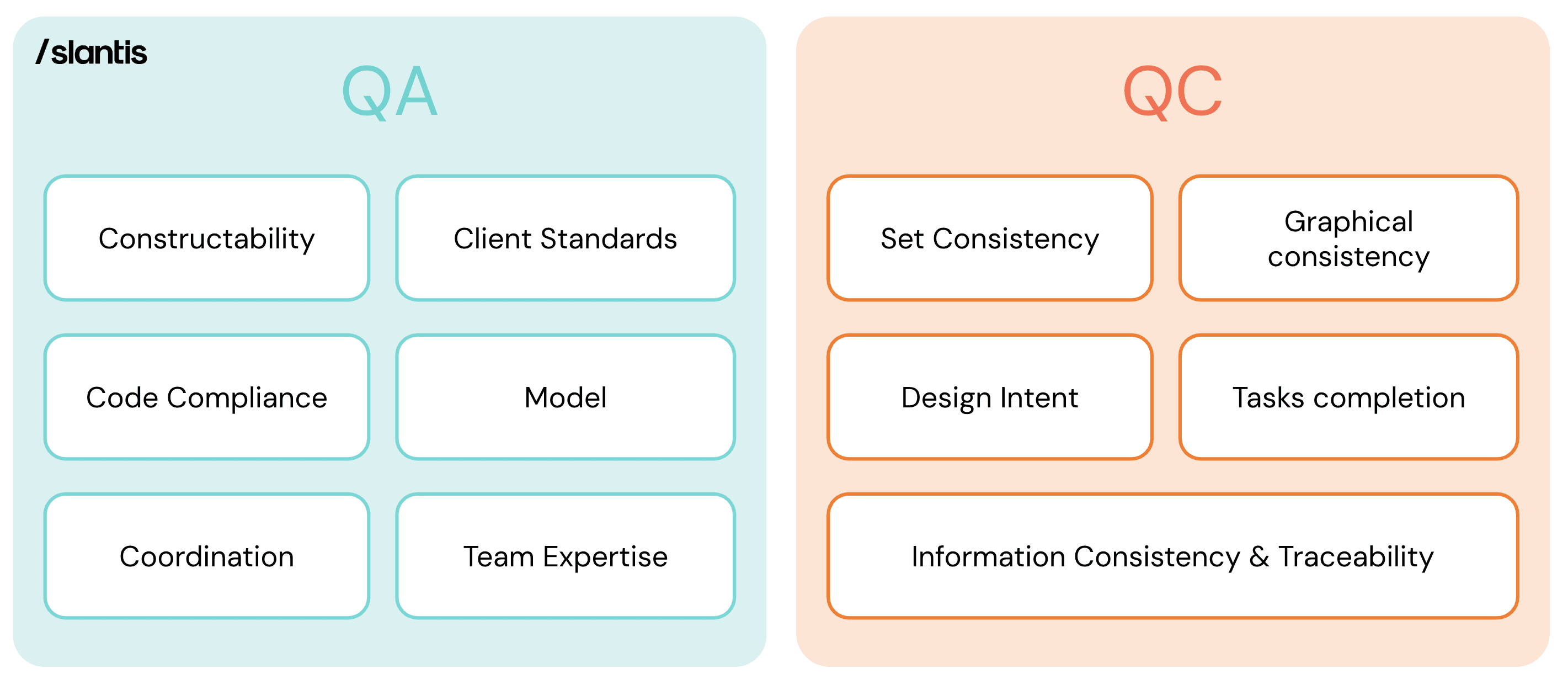
QA/QC matrix graphic (Two layers, one standard) → QA focuses on the broader conditions — constructability, code compliance, coordination, and team expertise. QC focuses on the output — set consistency, graphical standards, information traceability, and design intent.
QC is the checkpoint. It asks whether this deliverable — this set, this model, this submission — meets the standard before it goes out the door. It's specific, time-bound, and attached to a milestone.
QA is the infrastructure around it. It's the collection of processes, habits, and feedback loops that make quality consistent across projects — not dependent on whether someone remembered to check. Some QA lives inside the project: a structured kick-off, a scope and quality plan, an expertise alignment step before production begins. Other QA lives at the firm level: harvesting lessons from closed projects, tracking recurring findings, updating checklists based on what keeps getting missed.
Both matter. But QC is the one most firms think about first, so that's where we'll start.
How QC actually works in production
At /slantis, we've thought hard about this. Our QC system splits into two domains that map to what actually gets delivered: the Revit model and the PDF drawing set.
The Revit Model QC covers checks that happen inside the production environment, before anything gets exported: model health (warnings count, file size, purging, in-place families), model organization (naming conventions, worksets, shared parameters, project browser structure), 3D review (walkthroughs for floating elements, misaligned walls, envelope continuity), and graphical output (view templates, annotation standards, line weights).
The PDF Delivery QC covers everything between the model and the client's inbox: sheet index accuracy and print settings, PDF file naming and bookmarks, consultant set coordination, titleblock verification, cover sheet and code-related sheets, and a drawing-by-drawing pass covering tagging, callout references, keynote coherence, legend accuracy, dimension alignment, and graphic consistency — all the way through final compilation and delivery confirmation.
That's roughly 55 items across 8 groups for PDF alone, plus another 20+ for Revit. It's comprehensive by design — Gawande's insight is that a good checklist assumes competence and focuses on the items people are most likely to skip under pressure. Ours is a DO-CONFIRM checklist: you do the work first, then confirm it's right. The alternative — READ-DO checklists that guide you while working — serves a different purpose (that's what our AEC Development Checklists do during production).
Every QC event gets logged in a centralized database. Who did it, when, which project, which milestone, what they found, whether it passed or got flagged. This makes quality visible to leadership — not as a punishment mechanism, but as a pulse check. If a team hasn't logged a QC before a major delivery, that's a conversation trigger, not a gotcha.
The system works. But it's also slow, manual, and entirely dependent on human attention. Which is exactly where the new tools come in.
The three tiers of QA/QC tools in 2026
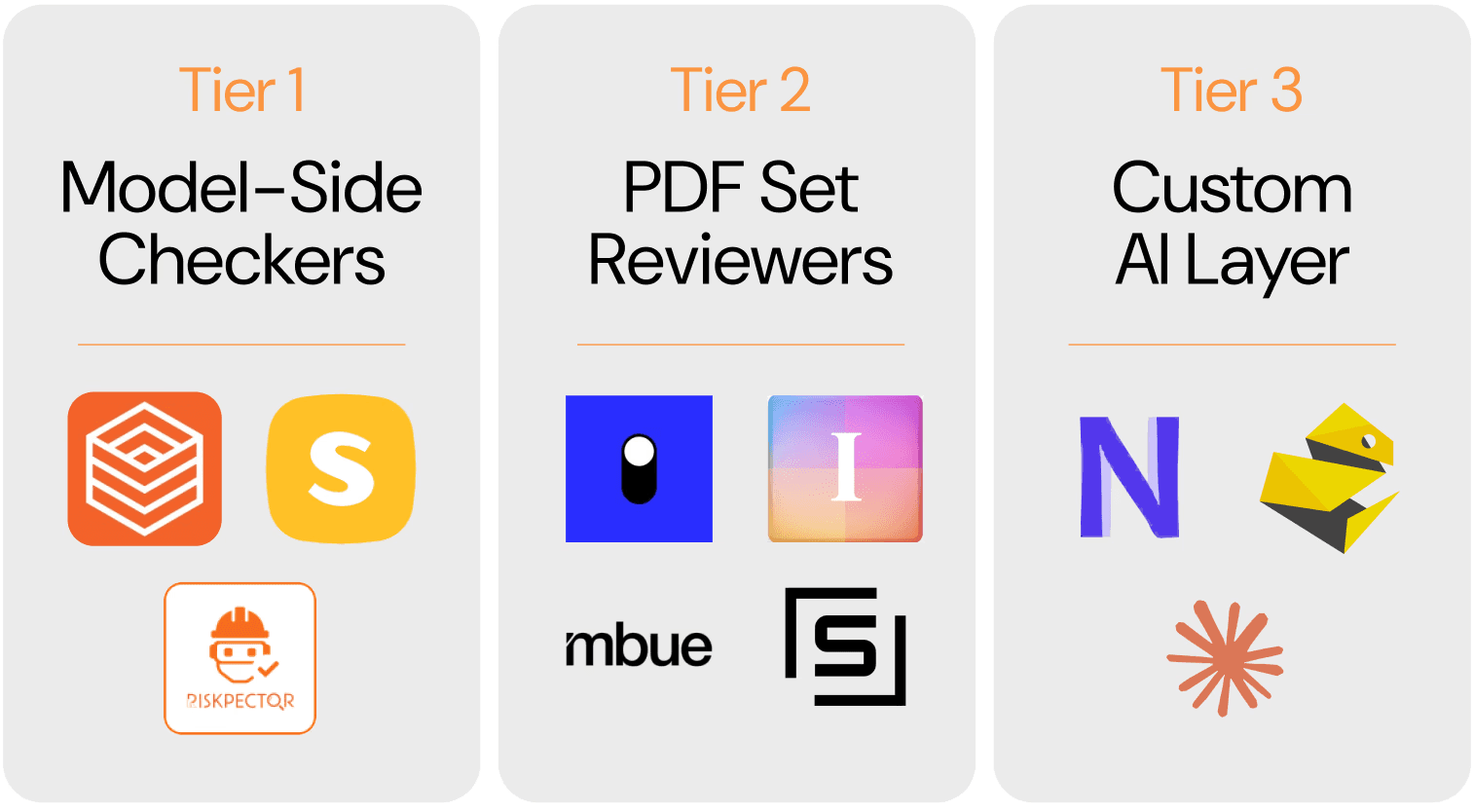
The QA/QC tool landscape in 2026: model-side checkers inside Revit, PDF set reviewers on the output side, and custom AI layers built around your own standards.
The landscape is splitting into three distinct categories, each with different strengths and maturity levels.
Tier 1 — Model-side checkers (inside Revit)
This is the most established category of QA/QC tools. Autodesk’s Model Checker has been around for years, offering pre-built checksets against BIM requirements, even if recent Revit API changes suggest that part of the ecosystem is evolving. For many firms, though, the real workhorses are still custom workflows built with Dynamo, which help validate parameter values, audit naming conventions, and make model warnings easier to review. pyRevit also plays an important role here, especially through tools like Preflight Check, which make model health reporting faster and more accessible inside daily production.
A newer wave of tools is pushing this category further with AI. We’ve been testing some of them, including Kestrel Labs, which is exploring how code and compliance checks can happen earlier and more directly inside the Revit environment. That direction is promising. Instead of treating accessibility, fire separation, or zoning review as something that only happens at the end, these tools aim to surface issues while the model is still being developed. It is still early, and the category is very much maturing, but the shift is worth paying attention to.
Kestrel Labs surfacing fire rating issues directly inside the Revit environment — code compliance checks that used to happen at the end, moved earlier into production.
Other platforms are approaching the problem from different angles. Riskpector is experimenting with AI-assisted test creation through natural language, while Solibri remains one of the strongest references for rule-based model validation. Together, they show how model-side QA/QC is expanding beyond traditional rule-checking into more flexible and proactive forms of review.
What these tools do well is catch mechanical issues: duplicated elements, missing hosts, naming violations, warning counts, and parameter inconsistencies. What they still do not do well is make architectural judgments. They can tell you the model is messy. They cannot tell you whether the building is truly resolved.
Tier 2 — PDF drawing set reviewers (the output side)
This is the most immediate frontier. The PDF drawing set is still where a huge amount of coordination happens in architecture. Many consultants still issue and review primarily through PDFs, specifications live alongside them, and final deliverables are still judged in that format. A growing category of AI-powered platforms can now read exported sets and perform the kind of cross-sheet validation that used to require hours of human attention — comparing sheet indexes against actual pages, flagging missing detail references, tracing inconsistencies across notes, tags, legends, and schedules. The kind of issue a senior reviewer catches on sheet 3 but misses on sheet 140 because the deadline is two hours away.
We’ve been testing some of these tools, including Ichi, and the direction is promising. What makes this category valuable is not just speed, but the ability to work across the full drawing set with a level of consistency that manual review often struggles to maintain under deadline pressure. Other platforms, such as Structured AI and Mbue, point to the same broader shift: from manual checking toward more automated review of documentation.
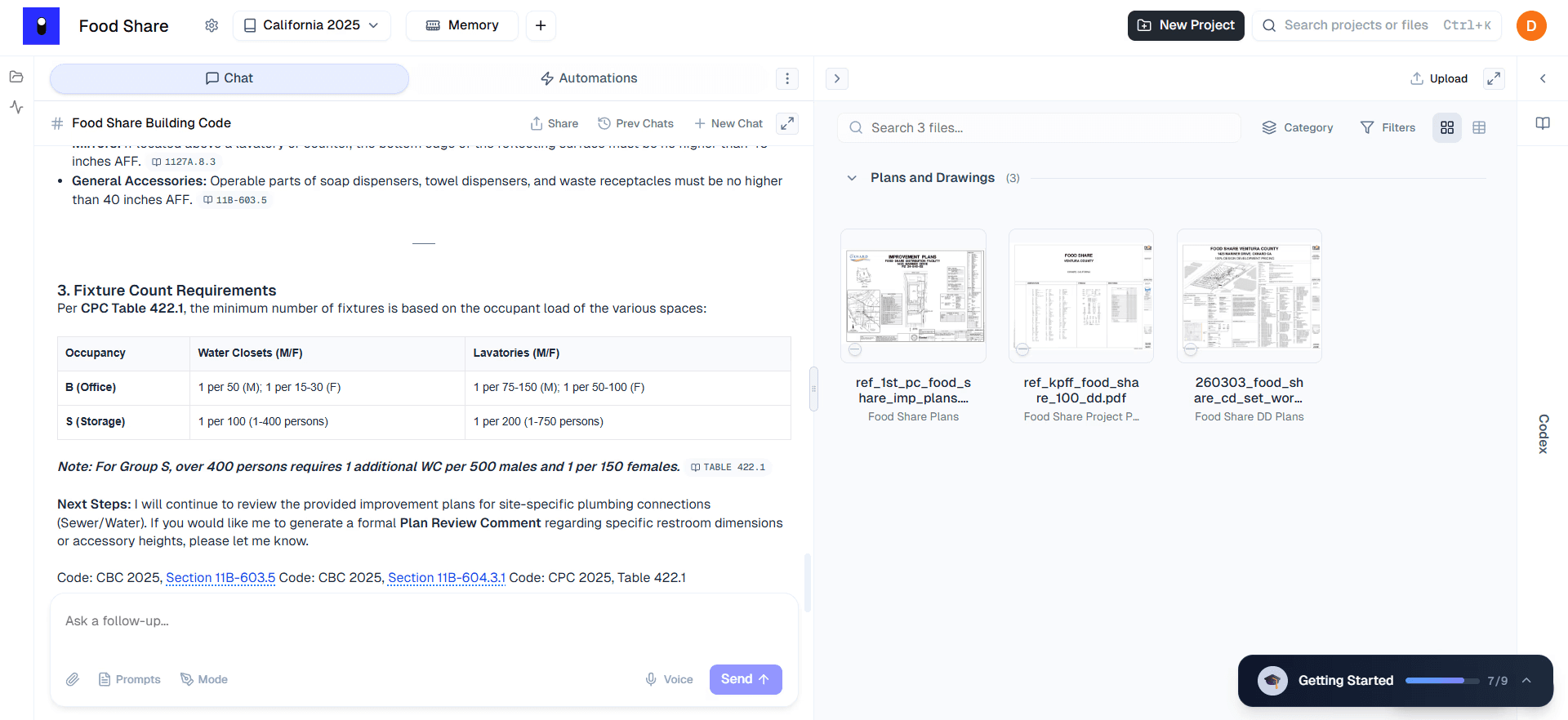
A language model reviewing a PDF drawing set against building code requirements, with direct references to CBC and CPC sections alongside the plans.
Still, this is not a replacement for a senior reviewer. False positives remain part of the cost, and some findings can take almost as long to evaluate as the manual check would have. But it is worth being honest about the double standard: when an AI tool flags something incorrectly, people notice and lose confidence. When a human reviewer misses the same issue entirely — which happens on every set, under every deadline — nobody panics, because that failure is familiar. The errors are different in kind, not in frequency. These tools are best understood as force multipliers, not handoffs. They extend the reach of human review, but they do not replace architectural judgment.
Tier 3 — The custom AI layer
This is the tier that interests us most at /slantis — and also the one that demands the most intention. The premise is simple: instead of relying entirely on an off-the-shelf product, you build your own layer of QA/QC support by connecting language models to the workflows you already use. Not a vendor’s ruleset, but your own standards, your own logic, and your own priorities.
On the Revit side, that starts with pyRevit, the open-source plugin that brings a Python-based scripting environment directly into Revit. For many teams, pyRevit has become a practical way to turn repetitive tasks into repeatable tools. We took that seriously. Our BIM team ran an Atomic Project — the name we use for internal R&D efforts — called Magic Tools, a custom pyRevit toolbar built in-house. The team developed more than 25 Python scripts that became one-click tools inside a /slantis tab in Revit: Purge Dimension Styles, Merge Identical Walls, Line Styles Cleaner, Compare Two View Templates, Identify Overrides, Renumber Marks, Room to Areas, Annotation Crop Offset, among others. They solve recurring production problems, but they also improve model quality. In that sense, many of them function as QC tools hidden inside productivity workflows.

The Magic Tools toolbar — /slantis's custom pyRevit tab 25+ custom pyRevit scripts built in-house — from Purge Dimension Styles to Scope Boxes cleanup. Production tools that double as QC.
The next step is to connect that scripted layer to a more flexible review system. A tool can extract model data and evaluate it against the questions that matter to the team: are fire-rated walls tagged consistently, do door marks repeat across levels, does the fixture count align with the occupancy calculation? In that scenario, the model is not inventing answers. It is reading structured information and checking it against rules and instructions we define. That makes the system far more adaptable than a fixed ruleset, especially for firms whose standards live across multiple tools and habits rather than inside a single platform. Platforms like Nonica point in that direction by helping connect automation, scripting, and workflow logic, while tools like Claude Code suggest another part of the same shift: making it easier to build, maintain, and extend custom scripts and review processes around that workflow.
The same logic applies on the PDF side. A language model can review exported drawing sets against your prompts, your standards, and your checklist — with a more customizable layer than Tier 2 tools offer. And because it can work across documents rather than only pattern-match inside one file, it can help surface issues that rule-based tools often miss: a spec section that contradicts a drawing note, a wall type schedule that does not align with the enlarged plan, or a titleblock date that conflicts with the revision log.
That is the real opportunity: not replacing one tool with another, but building continuity across the full QA/QC workflow. Custom pyRevit tools can audit the model before export, and prompt-based PDF review can audit the output after. Two checkpoints, connected by the same standards, catching errors on both sides of the export button.
From Checklist to System
This is the conceptual shift that matters most to us. Our 55-item PDF Delivery QC checklist works. But it is still a static tool. It does not adapt easily to the project, the milestone, or the specific risks of a given delivery. A permit submittal requires a different review than an IFB set. A project with 12 consultants carries different coordination risks than a single-discipline package.
What is changing is not the need for the checklist, but the way it can be used. Instead of asking someone to scroll through 55 checkboxes and decide, in the middle of a deadline, which ones apply, the checklist can start to function more like a structured review framework. The team defines the type of set, the stage, and the main coordination risks, then runs that review against the actual deliverable.
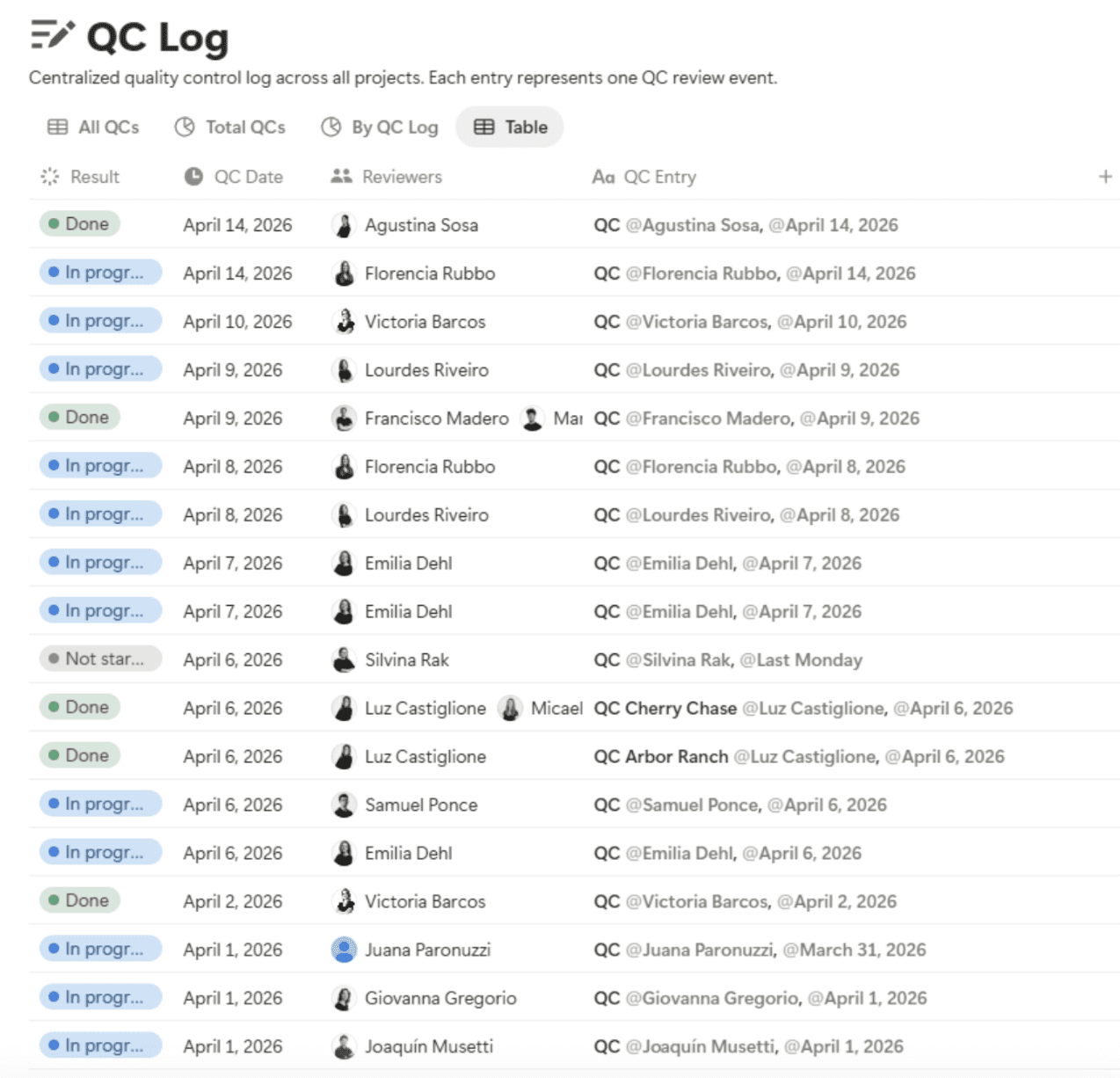
Every QC event logged in a centralized database — reviewer, date, project, result. Quality made visible across the firm, not buried in a file nobody opens.
That changes the role of the checklist. It stops being only a static list of reminders and starts becoming a more flexible set of instructions. A 50% DD multifamily set can be reviewed for sheet index accuracy, unresolved detail references, keynote consistency, room name alignment across plans and RCPs, revision schedule coordination, and visible placeholder text. A different milestone would call for a different emphasis.
The value in that approach is consistency. A review system can move through sheet 180 with the same attention it gives sheet 1. It does not rush because the deadline is close, and it does not overlook repetitive checks because the reviewer is tired. What it produces is not a pass or fail, but a structured list of findings that still needs to be interpreted by the team.
That last part matters most. The architect still makes the judgment calls. Is a keynote discrepancy actually wrong, or is it a project convention? Is a missing reference an error, or an intentional omission? The system surfaces issues. The person who understands the set decides what to do about them.
The Discipline Underneath
None of this works without culture.
A firm can have better tools, faster checks, and more structured workflows, but without real discipline around quality, it will still ship bad sets. Tools support the process. They cannot replace the habits that make it reliable.
And QC — the checkpoint — is only half of that picture. The broader question is whether the right conditions exist so that quality happens consistently: structured kick-offs, defined review gates, expertise alignment before production begins, lessons that feed forward instead of disappearing after the deadline. That is quality assurance working — not as a single event at the end, but as a system distributed across the entire project timeline.
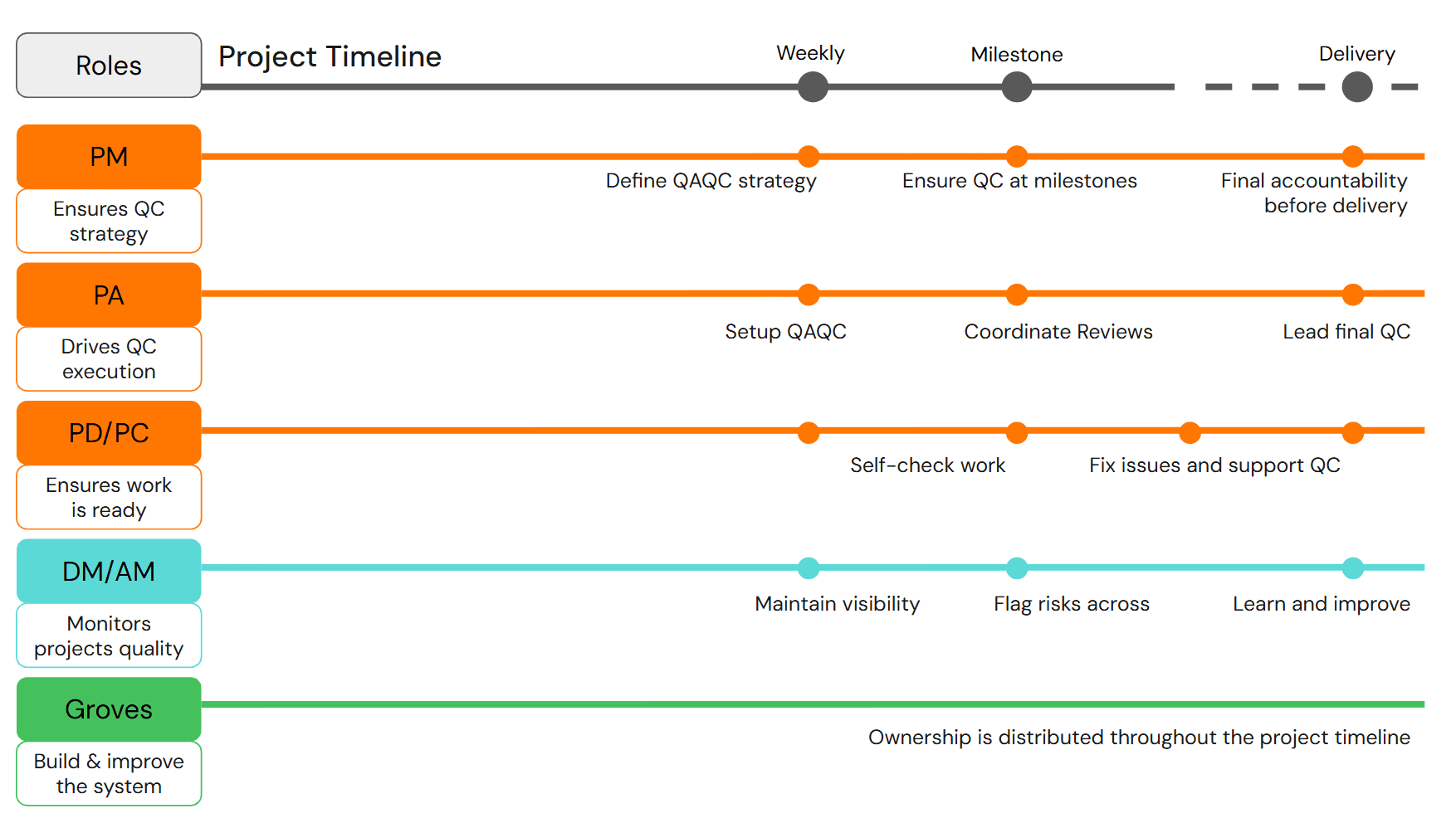
Quality ownership distributed across roles and the full project timeline — from strategy definition to continuous improvement.
Ownership matters here. A PM defines the QC strategy. A PA sets up and coordinates reviews. PDs self-check their work and support the QC process. Delivery managers maintain visibility and flag risks across projects. And groves — the teams responsible for building and improving the system itself — carry ownership throughout, not just at milestones. When that kind of distributed accountability exists, quality stops depending on any single person's attention and starts becoming part of how the firm operates.
That is when QA/QC stops being a checkbox and starts becoming part of the culture.
The best tools in the world will not save a firm that treats quality as a last-minute obligation. But for firms where quality assurance is built into how projects start, how teams are assembled, and how lessons are carried forward — better review tools can shorten the QC itself, widen its coverage, and reduce the blind spots that come with deadline pressure.
The drawings are always talking. The question is whether anyone is listening before they leave the office.
/slantis is a remote architectural services firm that teams up with AEC companies to develop their BIM projects with cutting-edge tech. We think a lot about quality — not because it's glamorous, but because it's what separates extraordinary delivery from adequate delivery. If your QC is still living in a PDF no one opens or you want to discuss how AI might fit into your workflow, let's talk. |